Everything your operation needs. Nothing it doesn't.
One platform, every feature on every plan, running on your own infrastructure or hosted by Varda. Every screenshot below is the real product your team will use.
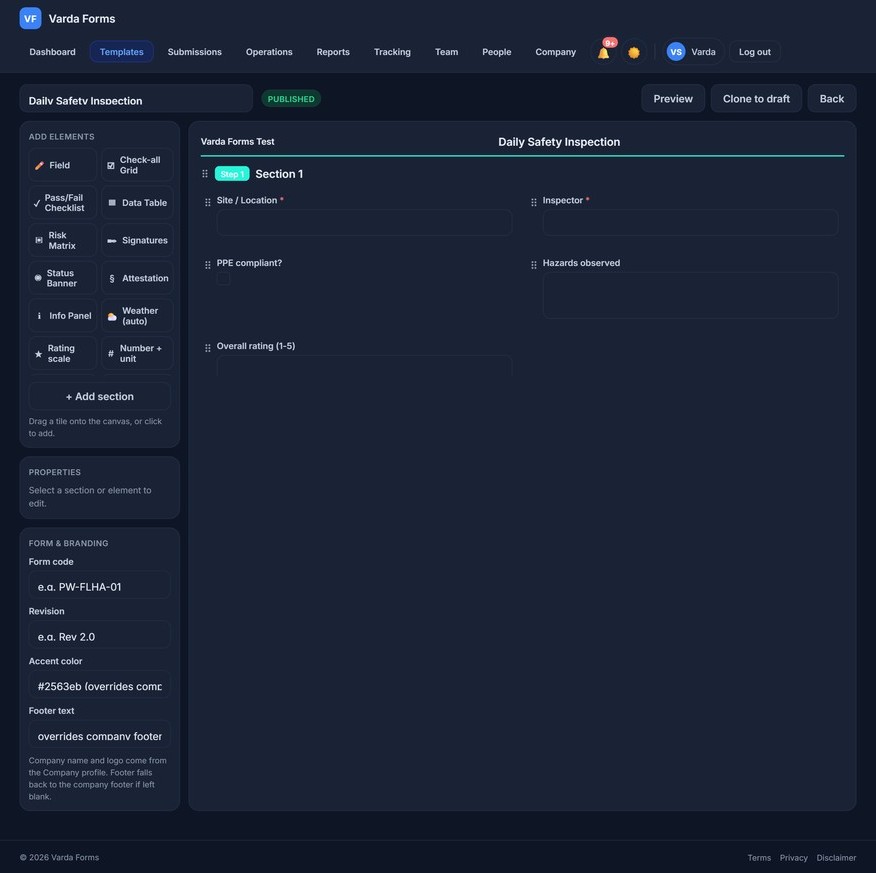
Build any form in minutes, no coding required
Drag fields onto the canvas, set requirements and conditional logic, and publish to the whole team instantly. Convert your existing paper forms exactly as they are; your crews shouldn't have to relearn documentation they already know.
- 18+ field types: text, dropdowns, checkboxes, tables, ratings, dates
- Digital signature, photo capture, and GPS fields
- Required fields and show/hide conditional logic
- Version control: every published revision is archived
- Clone and adapt templates across departments
Complete forms anywhere, even without signal
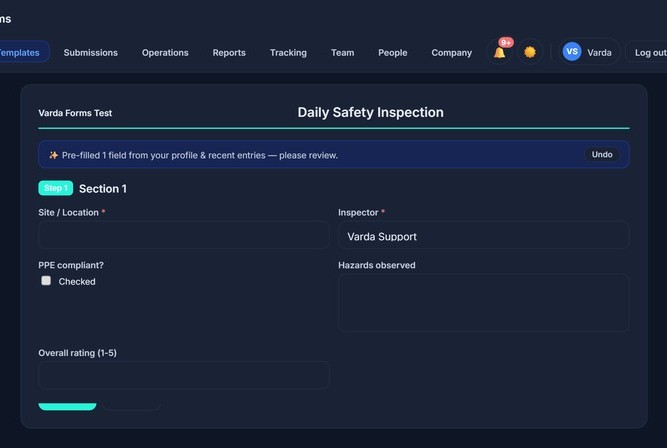
The offline-first mobile app keeps working in the gravel pit, down the grid road, or three storeys underground. Submissions queue locally and sync automatically the moment a connection returns. Nothing is lost.
- Full offline form capture and local queueing
- Automatic background sync
- Camera, signature, and GPS capture in the field
- Android app, or install from the browser (no app store needed)
A complete service request system, fully self-hosted
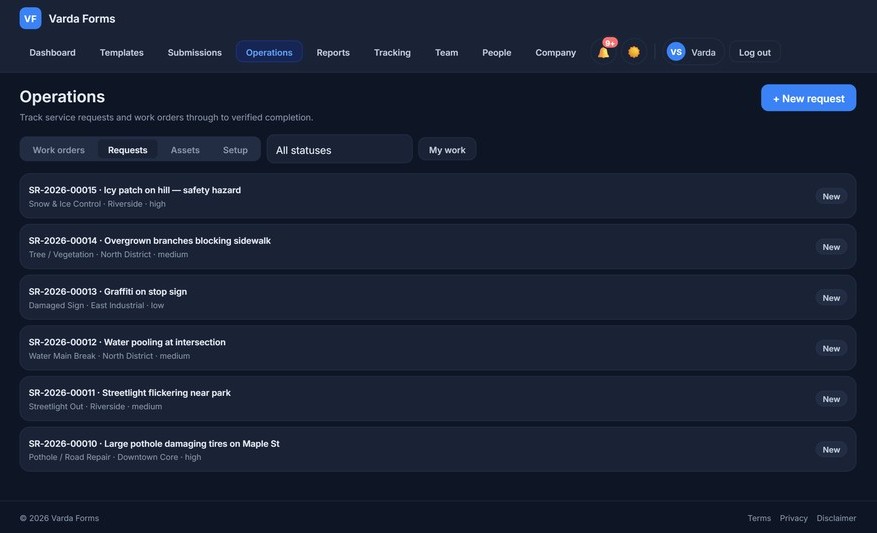
Give residents, tenants, or internal staff a clean portal to report issues. Requests route automatically to the right department, get prioritized, and stay tracked until resolution, with the requester emailed at every step.
- Public-facing submission portal on your domain
- Embeddable widget for your existing website
- Automatic routing by category and location
- Priority levels and SLA tracking
- Requester status notifications
Assign, track, and complete work from anywhere
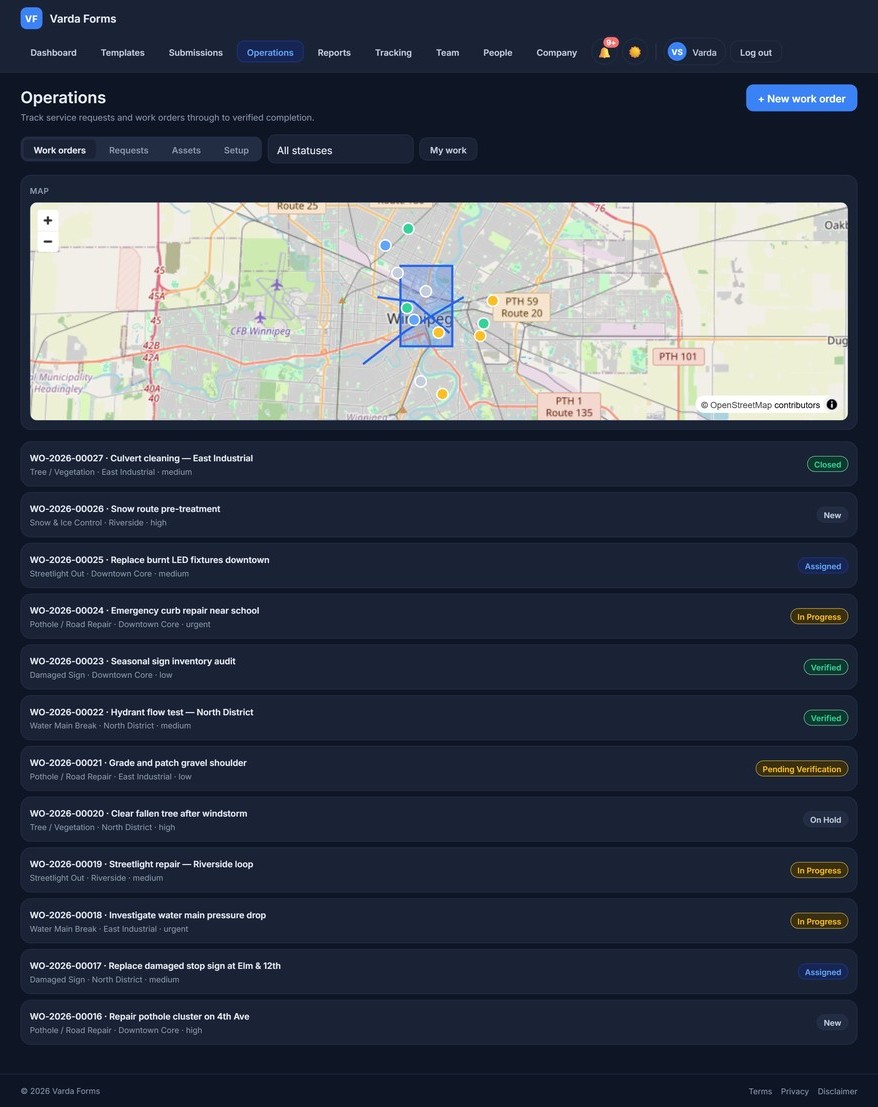
Turn requests into work orders, assign them to crews, and watch them move from scheduled to complete. Supervisors see the whole board; crews see their own list on mobile.
- One-click conversion from request to work order
- Crew assignment and scheduling
- Materials, equipment, and time logging
- Completion photos and sign-off
Audit-ready at the click of a button
Every submission, approval, edit, and export is logged with a timestamp and user attribution. When the auditor arrives, you filter, click Export, and hand over a complete package. No filing cabinets, no email archaeology.
- Tamper-evident activity log with an integrity check
- One-click PDF and spreadsheet exports
- Filter by date range, form type, crew, or site
- Approval workflows with full chain of custody
Keep your team connected and organized
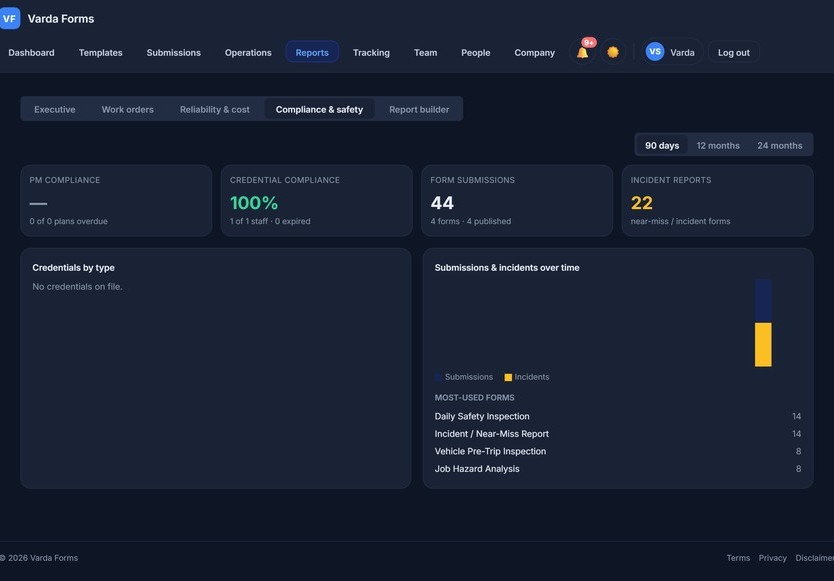
Channels, direct messages, calls and announcements in the same app your crews already use, so the morning toolbox talk and the 2 p.m. schedule change reach everyone without a third messaging app.
- Channels, direct messages, @mentions, polls and voice messages
- Audio and video calls with screen sharing
- Announcements with acknowledgement and reminders
- Retention, legal hold and transcript export
A complete EHS system, not just safety forms
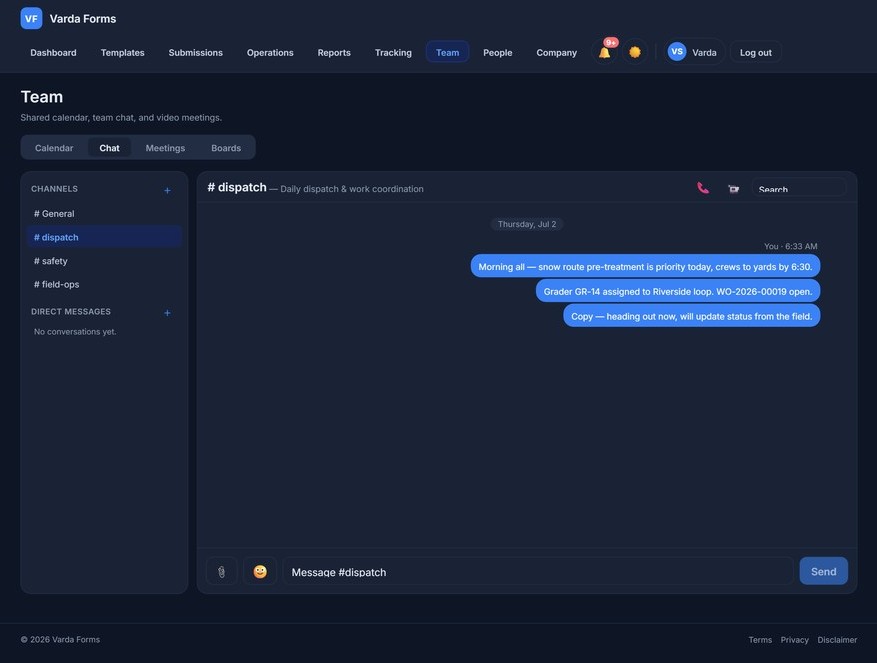
Run incidents end to end, from the near-miss to the closed corrective action to the workers' comp claim, with the analysis and the compliance rollup that regulators and COR/ISO 45001 auditors expect. It all runs on your own server.
Incident Investigations
- Structured investigation workflow
- Auto regulatory reportability: OHS & WCB, by province, with deadlines
- Corrective actions tracked to closure & verification
Root-Cause Engine
- 5‑Whys, Fishbone & ICAM methods
- Contributing-factor taxonomy
- Optional AI-drafted analysis you review and edit
Rates & Workers' Comp
- TRIF, LTIF and severity rate from your own hours
- Claims from incident to return to work
- Open a claim straight from an incident
Actions & Near-Miss Intelligence
- One register for every corrective action
- Effectiveness checks on high-risk fixes
- Similar past events and rising hotspots, computed on your server
Compliance Center
- One dashboard across audits, training, SDS & contractors
- A single, urgency-sorted alert stream
- Drill straight through to the source module
Regulatory Register
- Track the obligations that apply, by jurisdiction
- Change-log with acknowledgement
- Feeds alerts into the Compliance Center
Deliver training, prove competency
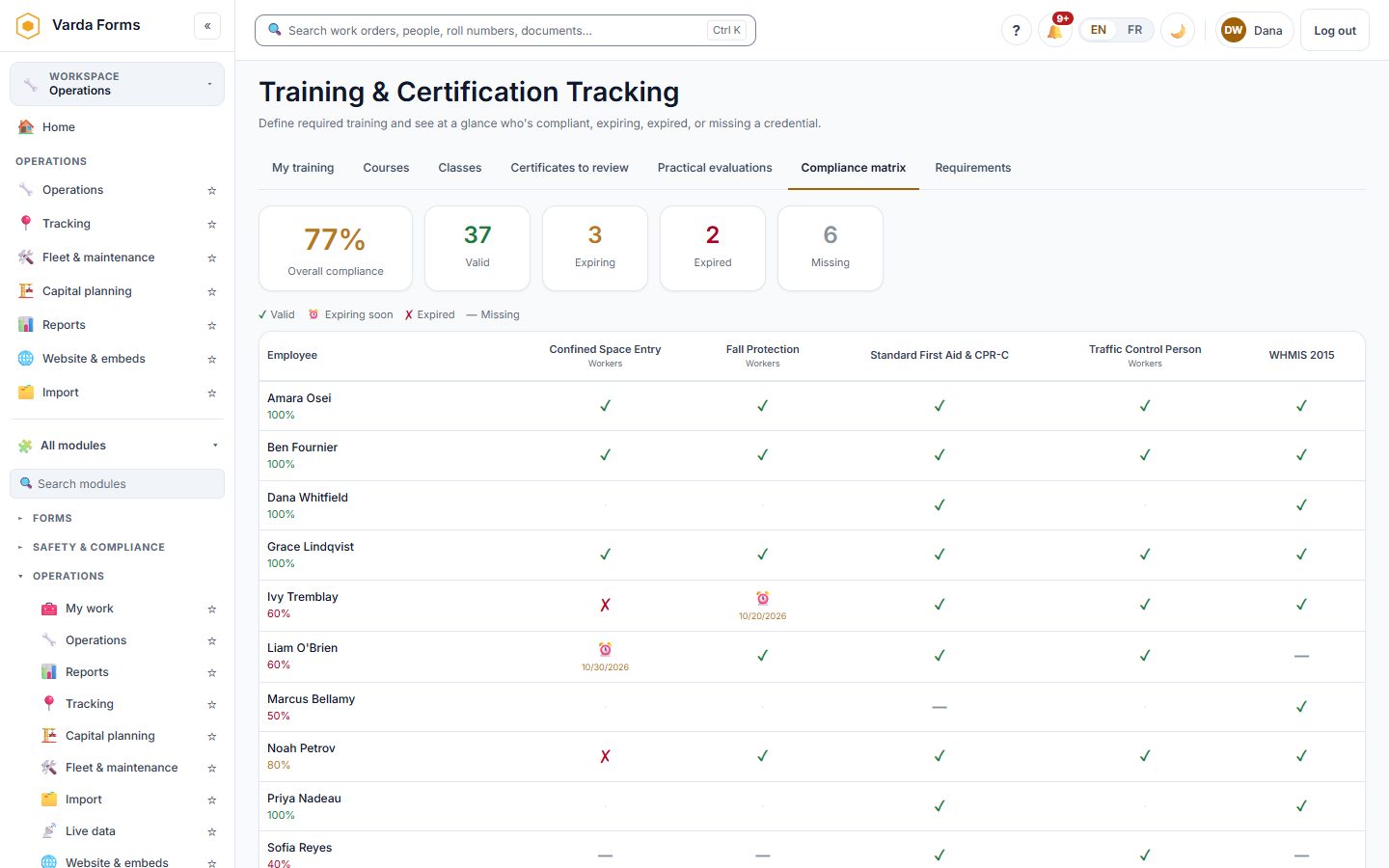
Your organization is the trainer: deliver online and classroom courses, load courses you buy from training providers, sign off hands-on skills, and see every gap on one matrix. Certificates are issued in your name.
Online & Classroom Courses
- Lessons, quizzes and pass marks
- Classes with sign-in sheets
- Certificate PDF with expiry, in your name
Course Templates
- WHMIS, PPE, ladders, lockout, confined space and more
- English or French, fully editable
- A review step before anything is published
SCORM Courses
- Upload SCORM 1.2 or 2004 from your provider
- Played and stored on your own server
- Outside sites blocked unless you allow them
Practical Evaluation
- Designated assessors sign off hands-on skills
- Competent / not yet competent per item
- No certificate until the person is competent
Compliance Matrix
- Every person against every requirement
- Automatic course assignment and reminders
- Block a form when a ticket has lapsed
Scored Inspections
- Pass marks, scored questions, critical items
- Schedules with reminders to people or crews
- Failed items raise corrective actions
Keep every unit safe, serviced and on the map
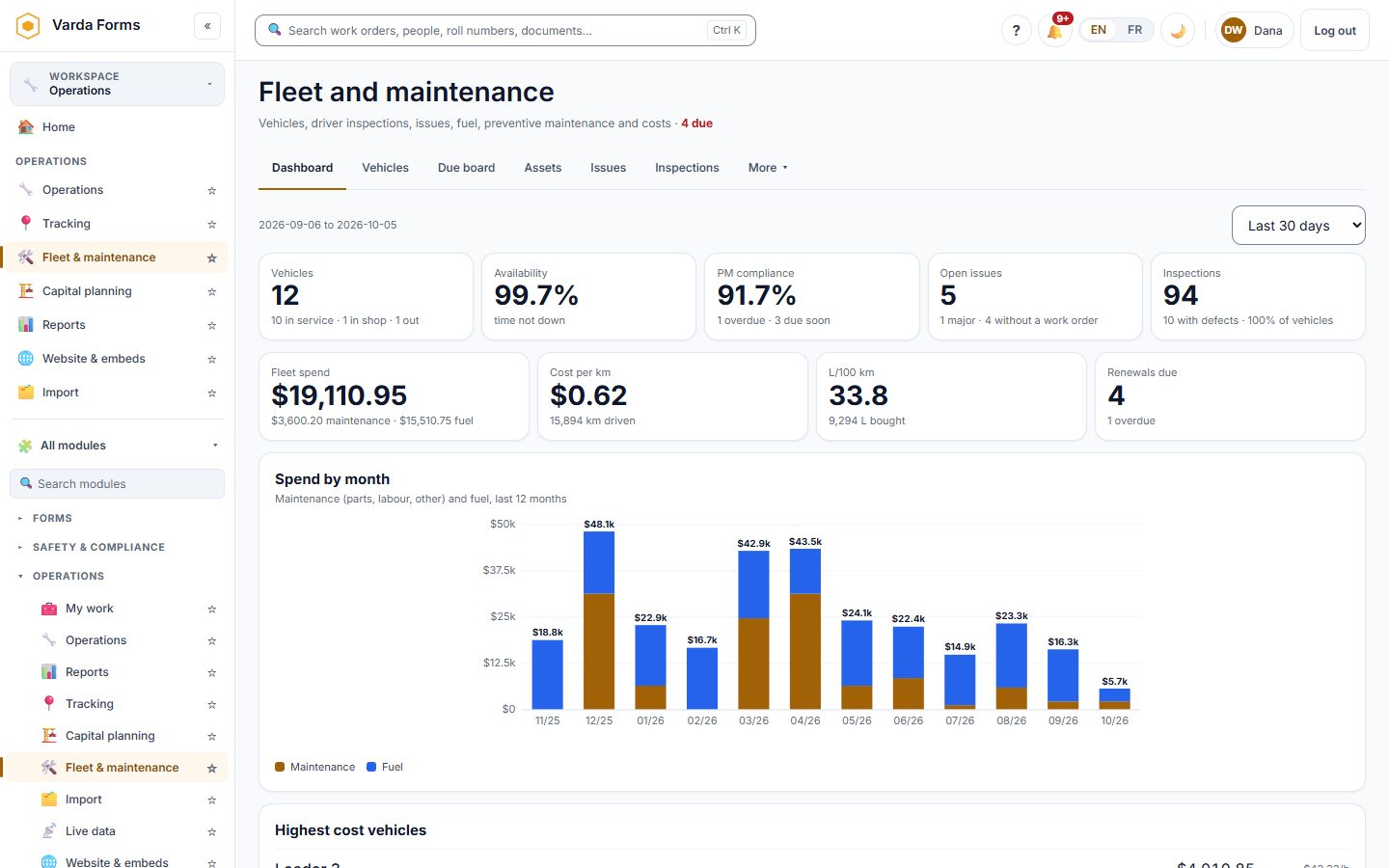
Maintenance comes due by the hours and kilometres a unit actually ran, drivers inspect on their phone, and the shop sees every defect, renewal and cost.
Preventive Maintenance
- By date, hours, kilometres or whichever comes first
- Work orders raised automatically
- Due board and PM compliance
Driver Inspections
- Pre-trip inspection on a phone
- A major defect takes the unit out of service
- Defects grouped into one work order
Fuel, Renewals & Costs
- Fuel card import with anomaly checks
- Registration, insurance and CVIP reminders
- Cost per km and replacement analysis
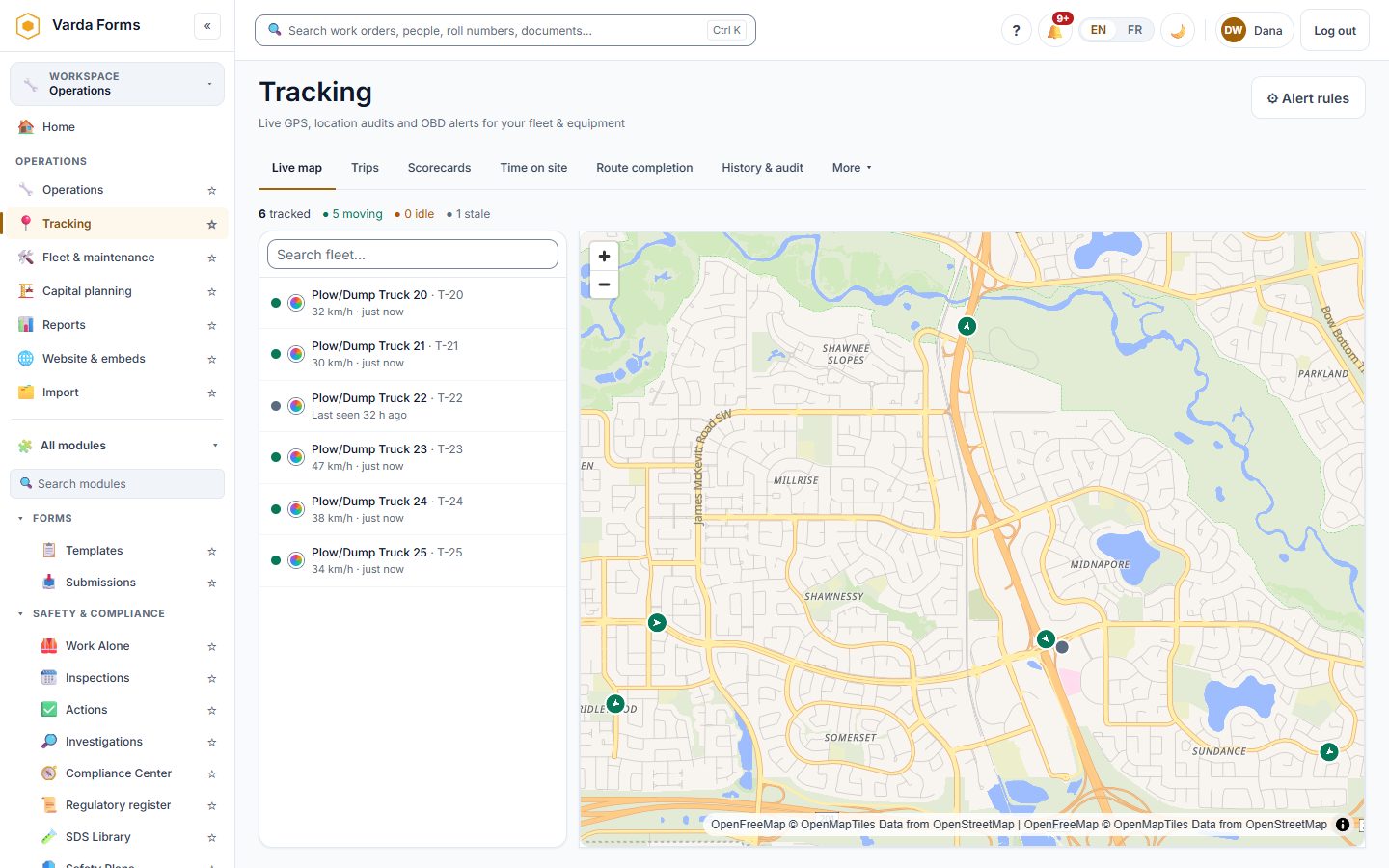
Live GPS
- Live map, trails and trip replay
- Time on site at yards and job sites
- Fault codes open an issue in the shop
Driver Scorecards
- Speeding, harsh braking and idling
- Ranked out of 100 by driver or vehicle
- Your own speed-limit policy
Route Completion
- Plow, sweeping and grading routes
- Green done, red still to do
- Optional public vehicle map
From the punch to the pay statement
Time is captured where the work happens, approved by pay period, and turned into pay runs with the deductions you define. Your payroll provider still files.
Time Clock
- Phone, QR clock point or shared kiosk
- Breaks, jobs and crew clock-in
- Injury question at every clock-out
Timesheets
- Signed by the worker, approved by the supervisor
- Overtime, banked time and corrections
- Approved periods are locked
Payroll Preparation
- CPP, EI and your own deductions
- Pay statements with year-to-date totals
- Register and GL exports for your provider
One source of truth, and the numbers behind it
Controlled documents everyone can trust, and reports anyone can build without asking IT.
Controlled Documents
- Versions, approvals and check-out
- Required reading with signed acknowledgement
- Retention, legal hold and a public library
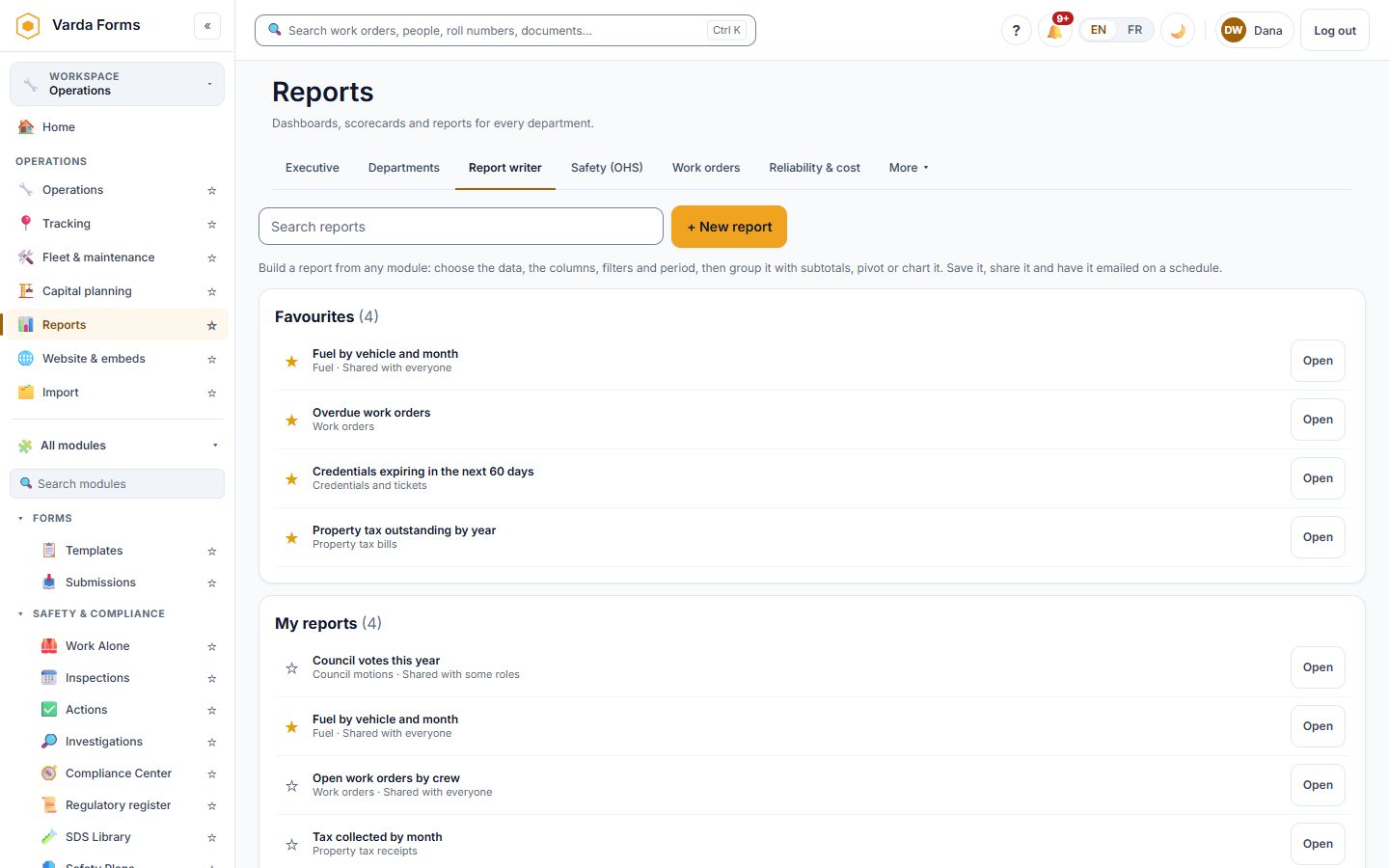
Report Writer
- Tables from any module or any form
- Grouping, totals, charts and pivots
- Excel, CSV and PDF, or emailed on a schedule
Dashboards
- A home screen for every role
- Shared team dashboards
- A TV wall screen with no sign-in
Council, capital and the municipal back office
Optional modules for municipalities and other public bodies. Organizations that don't need them never see them.
Council Meetings
- Agendas, packets and a public portal
- Live meetings with voting from members' devices
- Minutes drafted from the record, numbered resolutions
Capital Planning
- Condition, risk, remaining life and value
- Budget scenarios and levels of service
- An asset management plan for council
Municipal Finance
- Operating budget and five-year plan
- Property tax, penalties, arrears and certificates
- Utility billing and year-end statements
Optional finance layer, on the same platform
Costs recorded in work orders and operations flow into a full financial platform: enter once, report many ways. Turn on only the pieces you need; teams that only need safety and operations never see it.
Budgets & Cost Control
- Dimensional cost tracking
- Budgets, commitments & forecasts
- Live actuals from operations
Procurement & AP
- Requisitions, RFQs & receiving
- Three-way match
- AP payments & aging
Revenue, AR & Billing
- Customers & contracts
- Bill directly from costs
- AR receipts, WIP & profitability
Inventory & Allocations
- Items, receipts & issues to cost
- Cost pools & allocation runs
- Unit-cost analytics
Funds, Grants & Tax
- Configurable tax engine
- Grants & claim-from-actuals
- Reserve & fund balances
General Ledger & Banking
- Chart of accounts & double-entry journals
- Auto-posted from documents
- Trial balance & bank reconciliation
Municipal Tax & Utilities
- Property assessment & tax billing
- Utility metering & billing
- Receipts & applications
Analytics & Explainable AI
- Drag-together report builder
- Plain-language explanations of the numbers
- Scheduled, branded exports
Training, fleet, reports and more
Every screenshot is the real product with the demo's sample data. Open the live demo to click through all of it.
Everything included in every plan
No modules, no feature gates. Every plan gets the entire platform; you only pay by team size.
Form Management
- Drag-and-drop builder
- 18+ field types
- Conditional logic
- Templates & cloning
- Version control
Mobile & Offline
- Offline-first capture
- Automatic sync
- Photo attachments
- GPS stamping
- Any modern device
Service Requests
- Public portal
- Embeddable widget
- Auto-routing
- SLA tracking
- Requester updates
Work Orders
- Crew assignment
- Scheduling
- Time & materials
- Completion sign-off
- Board & list views
Approvals & Sign-off
- Per-form supervisor sign-off
- Approve or return with a note
- Routed to the responsible crew lead
- Multi-step approvals & escalations
- Full chain of custody
Lone Worker Safety
- Timed check-ins with countdown
- Adaptive escalation ladder
- One-tap SOS & panic alert
- Live supervisor monitoring board
- Optional SMS & voice call-out
Crews & Departments
- Organize staff into multi-department crews
- Name the leads responsible for each
- Notices routed to the right supervisors
- Per-crew data visibility
Compliance & Audit
- Tamper-evident activity log
- One-click exports
- PDF & spreadsheet output
- Date/site/crew filters
- Regulator-ready packages
Team Collaboration
- Channels & direct messages
- Audio & video calls
- Announcements with acknowledgement
- @mentions & polls
- Push notifications
Administration
- Role-based permissions
- Role workspaces & global search
- SSO & two-step sign-in
- Modules on or off per organization
- Activity log
GPS Fleet & Equipment Tracking
- Live map & breadcrumb trails
- Location audits by day/week/month
- Driver scorecards & route completion
- Fault codes open a shop issue
- Universal provider ingest
GIS Map Overlays
- Upload your own GeoJSON layers
- Water/sewer mains, parcels, boundaries
- Click a feature to see its attributes
- Show chosen layers on the public map
Assets & Preventive Maintenance
- Asset register with cost / TCO
- PM by date, hours or km, with auto work orders
- Driver pre-trip inspections & defects
- Fuel, renewals & cost per km
- Reliability: MTBF & availability
Reporting & Analytics
- Report writer across every module
- Dashboards for every role & a TV wall screen
- Excel, CSV, PDF & slide-deck export
- Scheduled delivery by email
- Executive scorecard vs targets
Directory & Credentials
- Staff directory & profiles
- Licence / ticket / training tracking
- Expiry alerts to the responsible crew
- Read-only self view for audits
Document Control
- Versions, approvals & check-out
- Required reading with acknowledgement
- Search inside PDFs, Word & Excel
- Retention, legal hold & public library
Board & Council Meetings
- Agendas, packets & public portal
- Live meetings with device voting
- Minutes drafted from the record
- Resolution & bylaw register
Audits & Inspections
- Scored inspections with schedules
- Recurring audits, auto-advancing due dates
- Findings raise corrective actions
Safety Data Sheets (SDS)
- Searchable SDS library with GHS data
- Revision-currency tracking
- Barcode scan & AI auto-fill from the PDF
- QR binders & WHMIS workplace labels
Training & Competency
- Online & classroom courses with certificates
- Course templates & SCORM courses
- Practical evaluation by assessors
- Compliance matrix; block a form if a ticket has lapsed
Contractor Management
- Contractor portal, no account needed
- Prequalification & document review
- Online site orientation
- Site sign-in for cleared workers only
Time Clock & Payroll Prep
- Phone, QR or kiosk clock-in
- Pay periods, overtime & banked time
- Timesheet approval & corrections
- Pay runs, pay statements & exports
AI Assistant
- Bring your own key: you control the model
- Generate a form from a description
- Draft meeting minutes from notes
Integrations & API
- REST API keys
- Signed outbound webhooks (HMAC)
- Zapier bridge to 6,000+ apps
Data Protection
- Encryption at rest: field-level & whole-database
- Two-factor authentication (TOTP) with backup codes
- Role-based access & SSO
Self-Hosted & Deployment
- One-command install; Docker, cloud-init & Terraform
- Automatic HTTPS; LAN, secure remote link or your own domain
- Signed, admin-approved updates
- Or hosted by Varda on request
Bilingual: English & French
- Full EN/FR interface, switch anytime
- Public forms, portal & emails in both languages
- Certificates & course templates in both
Capital Planning
- Condition, risk & remaining life
- Budget scenarios & levels of service
- Asset management plan for council
Ready to see Varda Forms in action?
Try the live sample form on the homepage, then book a full demo built around your operations.